Smaller PDFs.
Searchable scans.
All on your Mac.

PDF Pilot Pro shrinks PDFs, adds an invisible text layer to scans, names them with on-device AI, and turns images & documents into PDFs — entirely on-device. No accounts. No cloud. No telemetry.

Download on the Mac App Store See how it works
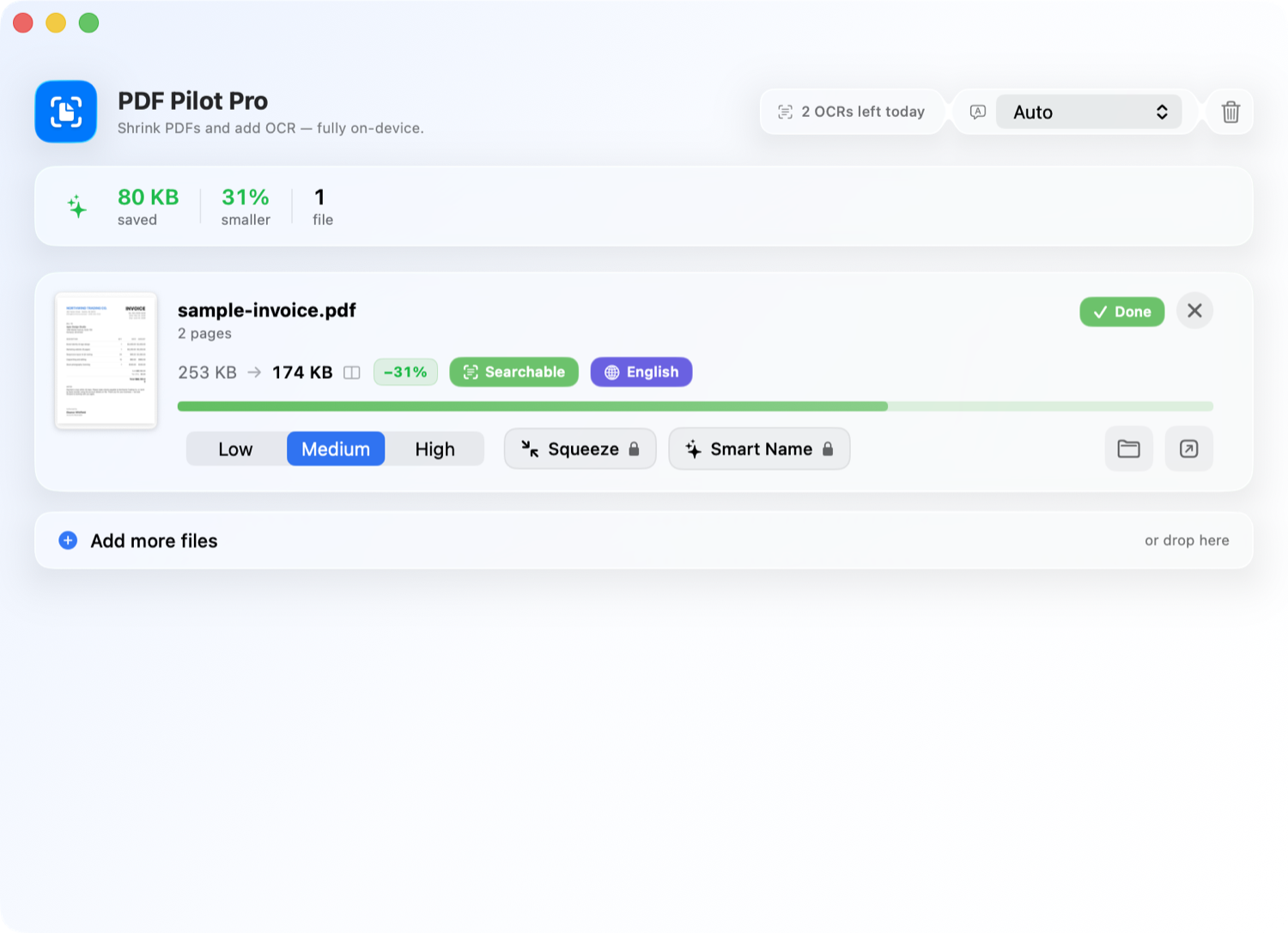
PDF Pilot Pro showing a compressed, searchable invoice with size savings, detected language, and Smart Name.
One drag-and-drop: compressed 31% smaller, made searchable, and auto-tagged — on your Mac.

Everything a PDF deserves.

Drop a file and PDF Pilot Pro makes it smaller, searchable, smartly named, and ready to use — without sending a single byte to the cloud.

Smart compression

Three quality levels with aggressive defaults. Smart mode keeps digital text crisp; re-compress per file until the size feels right.

Built-in OCR

Scanned pages get an invisible, searchable text layer — powered by Apple's on-device Vision engine.

New

Smart Name with AI

On-device Apple Intelligence reads each document and gives it a clear, descriptive filename and a category tag like Invoice or Contract.

New

Before / after compare

Drag a divider across the original and the compressed result to judge image fidelity before you keep it.

New

Convert anything to PDF

Drop in photos, screenshots, Word docs, text, RTF or HTML — they become PDFs you can compress and OCR like any other.

New
🌐

Automatic language detection

Each file is tagged with its language automatically, with OCR across English, German, French, Spanish, Italian, Portuguese and Chinese.

New
🎯

Compress to an exact size

Need it under 2 MB for email? Name a target and PDF Pilot Pro dials in the quality automatically until the file fits.

New
🎚

Custom presets

Save your favorite settings as named profiles, apply them in one click, and export them to share across your Macs.

New
🔑

Password protection

Open password-protected PDFs, and lock your finished files with a password before you send them on.

New
🗂

Batch a whole folder

Drop in a folder and every PDF, scan, and image inside is processed in one go — no file-by-file picking.

🔒

100% private

Nothing ever leaves your Mac — no account, no telemetry, no cloud. Document metadata like author and title is stripped on the way out.

Native integrations

Finder Services, Share extension, Spotlight, and full Shortcuts actions for hands-off automation.

Made for Apple silicon

Native Swift + SwiftUI, sandboxed and hardened. Built for macOS Tahoe and the latest Apple Intelligence APIs.
Built for one drag and drop.

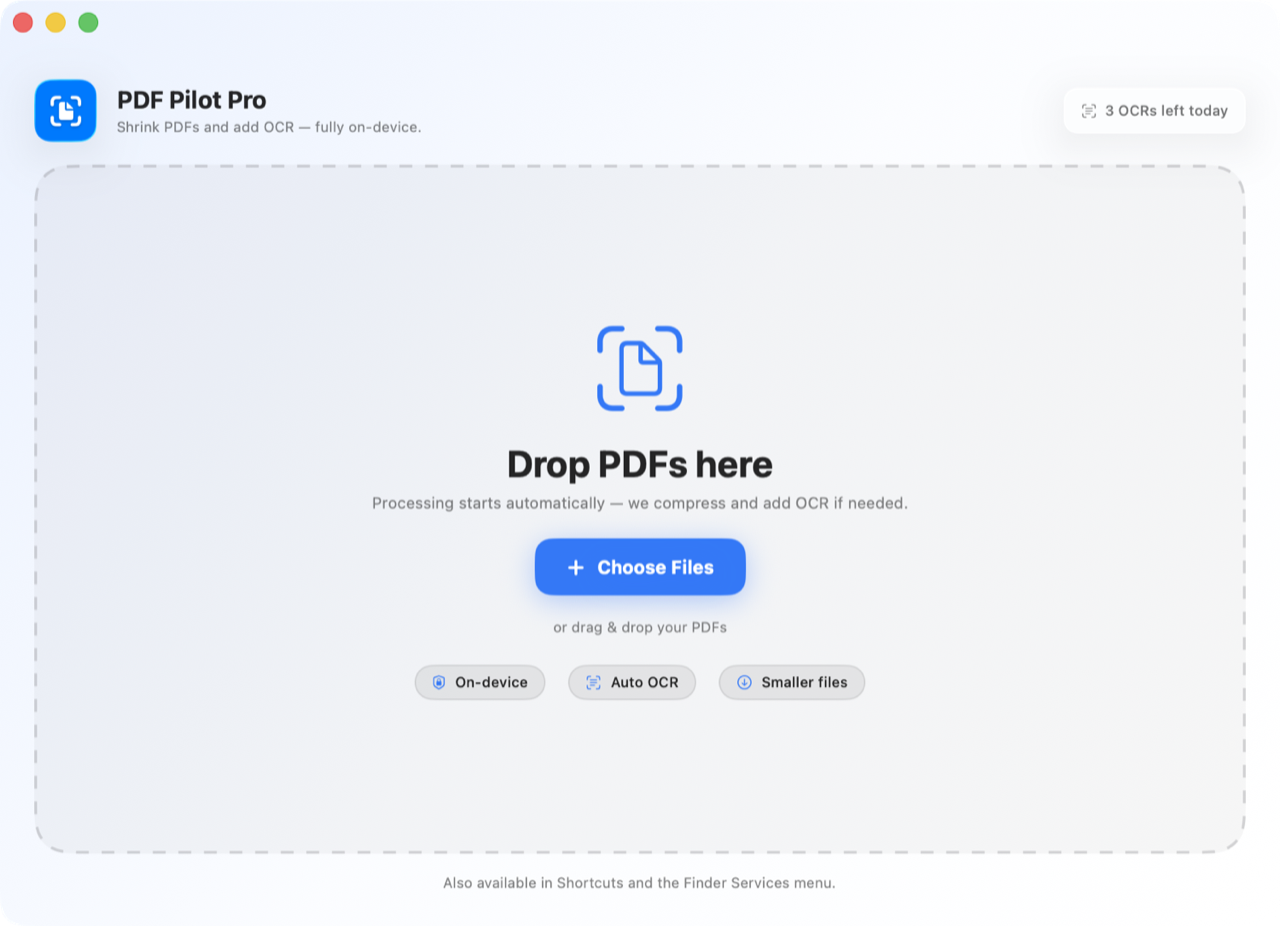
No menus to learn, no settings to fiddle with. Drop a PDF — or a photo, scan, or document — and processing starts automatically. Results land right next to the original, ready to share.

  • Processing kicks off the moment files land
  • Re-compress, add OCR, or Smart Name from each card
  • Compare before & after with a single click
  • Open, reveal in Finder, or drag the result out
PDF Pilot Pro's drop zone with on-device, auto-OCR and smaller-files badges.

How PDF Pilot Pro compares.

Most PDF tools push your files to the cloud, lock the good parts behind a subscription, and stamp watermarks on the way out. PDF Pilot Pro doesn't.

Feature PDF Pilot Pro Other apps
Works 100% offline, on your Mac Often cloud-based
No account or sign-up required Sign-up common
Your files are never uploaded Sent to servers
Searchable OCR included Paid add-on
On-device AI naming & categories
Before / after visual compare Rare
Convert images & Office docs to PDF Limited
Adjustable compression levels One-size-fits-all
Compress to an exact target size Rare
Save & reuse custom presets
Password-protect your exports Paid add-on
Finder, Shortcuts & Share built in Limited
No watermarks on results Often watermarked
No file-size or page limits Capped on free tier
One-time purchase option Subscription only

Comparison reflects common limitations of widely used desktop and online PDF tools. Capabilities of other apps vary.

Free to try. Premium when you need more.

Unlimited compression and three OCR runs a day are on the house. Upgrade for unlimited OCR, every language, Smart Name, compress-to-size, custom presets, and password protection.

Free

$0
  • Unlimited compression
  • 3 OCR runs / day
  • Batch whole folders
  • All system integrations

Weekly

$1.99 / wk
  • Unlimited OCR
  • Every OCR language
  • Smart Name & categories
  • Compress to a size
  • Custom presets
  • Password protection

Lifetime

$49.99 once
  • Everything, forever
  • One payment, no renewals
  • All future updates included

Students save 60% on every plan — $0.79 / wk, $7.99 / yr, or $19.99 lifetime.

Your documents never leave your Mac.

PDF Pilot Pro uses Apple's PDFKit, Vision and on-device Apple Intelligence to do everything locally. There is no server side. There is no analytics. You don't need an account.